

Manually analyze incompatible frequencies
Coord automatically inspects and analyzes frequencies whenever inclusions, exclusions, and calculation settings are changed across frequencies, groups, zones, and sites.
When a frequency fails the re-test and analysis step, it receives an automatic incompatible status.
To analyze the frequencies:
You can manually run Coord’s analyze feature in two ways:
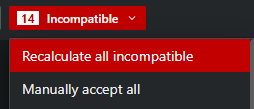
- The global analyze test appears beside the incompatible frequency drop-down menu
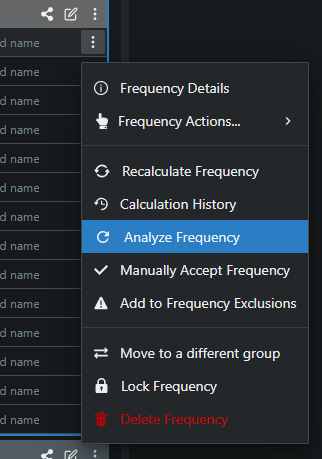
- For individual frequencies, you can access the analyze test through each frequency’s “more” menu.
Incompatible frequencies were successfully analyzed.