

Creating a real-time zone report
Publish this zone’s coordination to a live link that updates in real time — password-protectable, shareable as a QR code, with per-column view and edit control.
Enable the report
Section titled “Enable the report”- In the zone toolbar, click Share Zone → Real-time Zone Report.
The Real-time Report dialog opens for the current zone.
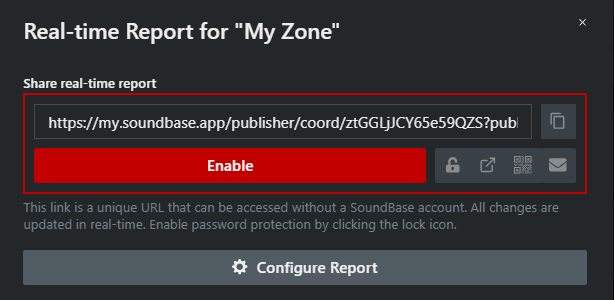
- Click Enable. The link goes live and is copied to your clipboard.
- Share it using the buttons next to the link field: Copy Link, Toggle Password Protection (lock icon), open in a new tab, View QR Code, or Email Report Link.
The link needs no SoundBase account — all changes are updated in real-time for everyone viewing. Click Disable to kill the link.
Configure what the report shows
Section titled “Configure what the report shows”Click Configure Report to expand the configuration:
- Contact info and a message line for the top of the report (or Use Site Notes for report message).
- Automatically expand all zones and groups when opening the report.
- Show incompatible frequencies in report and Hide frequency color statuses.
- The per-column table: tick View to show a column, Edit to let anyone with the link change that field, and drag rows to reorder columns.