

Duplicating equipment profile
You can duplicate and edit your equipment profile.
To duplicate the profile:
- Create or open a profile you want to duplicate.
- In the Details area, click the Duplicate button. The currently displayed profile has been duplicated and closed.
- In the Calculation area, click on Profile Manager and navigate to the tab Custom Profiles.
All duplicated profiles are displayed as “Copy”.
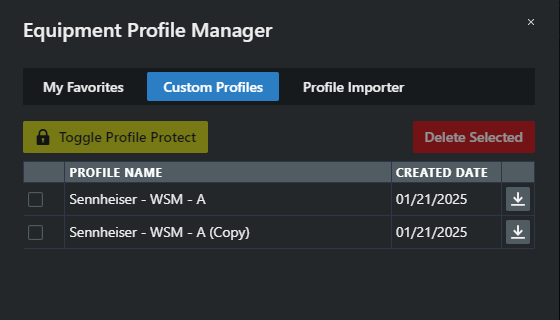
Your equipment profile has been duplicated. You can now export, import, and customize the profile as needed.