

Showing/Downloading QR Code for frequency request
You can show and download the QR code for a frequency request.
To show/download the frequency request:
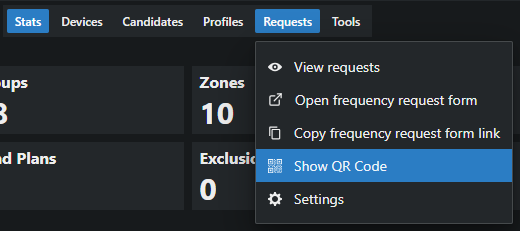
- In the Details area, click on Requests > Show QR Code.
- Click on Download to download the QR Code.
The QR code for your frequency request has been displayed and/or downloaded.