

Finding TV channels
Search the site’s location for active television and public-safety stations and activate them as exclusions — the first step of every coordination.
Search and activate
Section titled “Search and activate”- In the zone toolbar, click TV Channels.

- Type the venue’s address into the search field — Type here to search for TV channels at a specific location. Be precise (“Minskoff Theatre, 200 W 45th Street, New York” beats “New York City”): this location is saved as the site location and also anchors scan searches and the weather widget. The swap button switches to a what3words address instead.
- Click Activate. SoundBase searches transmitters within 50 miles and activates the channels it finds — active channels are excluded from all calculations. (Setting a location when creating a site runs this search automatically.)
- Review the results (see below) and adjust individual channels.
Deactivate clears the search’s activations — both directions warn you first, since changing the channel picture can invalidate an existing coordination and require a recalculation.
Reading the results
Section titled “Reading the results”A summary strip shows how many channels are currently excluded, split into TV, Public Safety, and non-TV counts, plus how many nearby transmitters are receivable. In the table, each row shows the channel, its frequency range, call sign, type, distance, and transmit power:
- Red rows are public-safety channels; the blue-tinted rows were found by the search; channel 37 (radio astronomy) is protected — disabling it triggers a legality warning.
- For US channels, View Channel and Facility Information links to the FCC’s facility record.
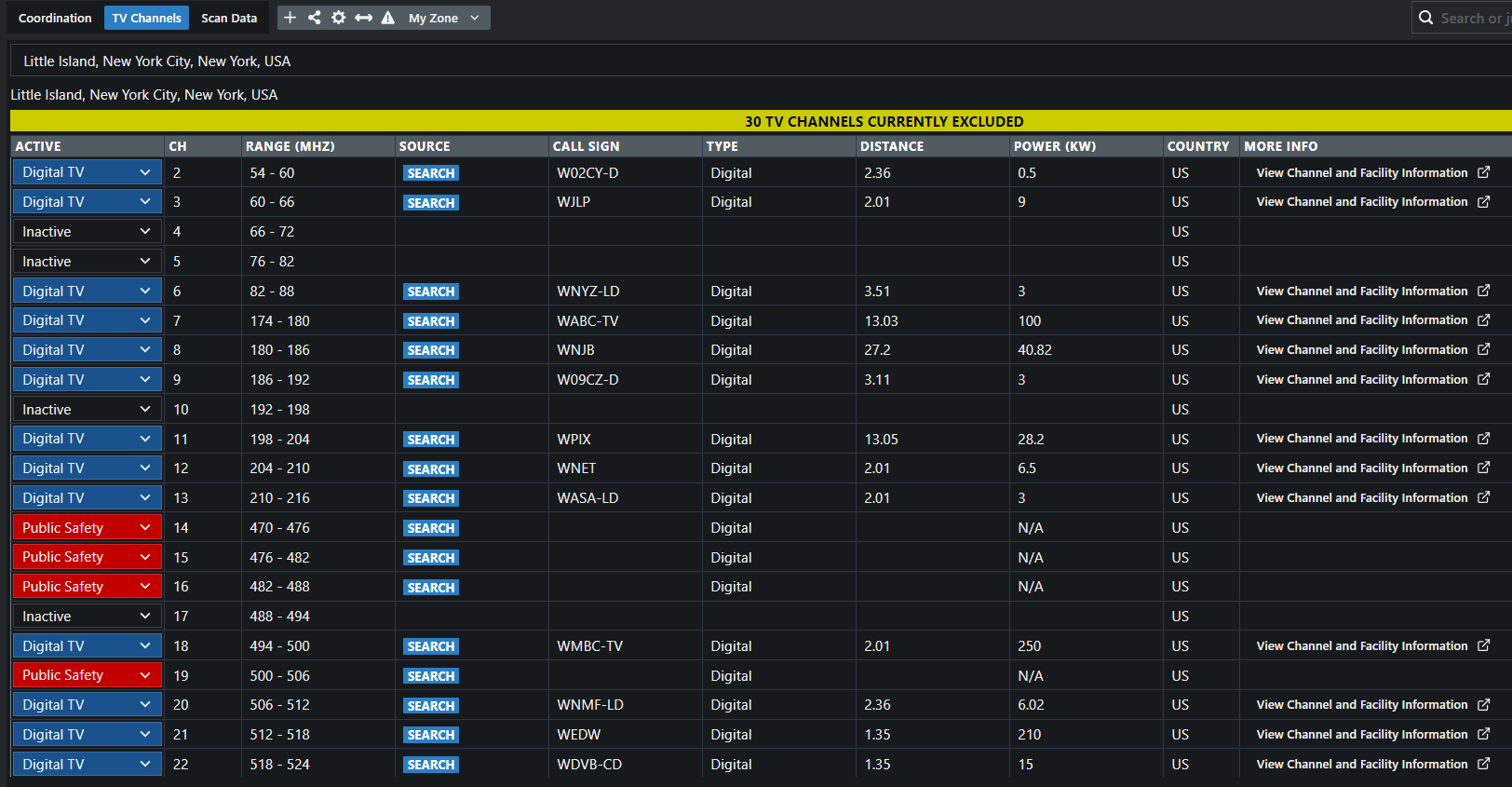
To toggle individual channels afterwards, see Enabling/disabling TV channels.
Frequency Advisor
Section titled “Frequency Advisor”The Frequency Advisor button (SoundBase Desktop) opens a per-country regulations table — frequency ranges with license requirements, maximum transmit power, WMAS status, and reference links. Use it when coordinating outside the TV-search countries.
Improving the data
Section titled “Improving the data”The search is powered by SoundBase’s TV channel database. If results don’t match reality at your venue, use Submit data feedback to rate the search and describe the discrepancy — the reports feed database corrections.