

Customizing groups
Auto-number a group’s frequency names, sort its frequencies, and set the group color that carries through the plot, monitoring cards, and reports.
Open the group’s Customize Group (pencil) button to reach all three.
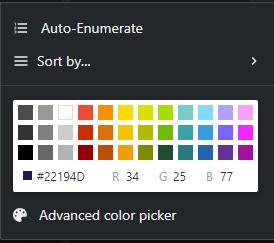
Auto-Enumerate
Section titled “Auto-Enumerate”Auto-Enumerate renames every frequency in the group to a numbered pattern:
- Prefix — e.g. “HH” or “IEM”, with an option to automatically add a space after it.
- Starting number and Number of digits — “01, 02, …” vs “1, 2, …”.
- Alternate by — repeat each number N times with an alternating suffix, as Letters (A, B, C…) or Numbers (1, 2, 3…) — handy for A/B transmitter pairs (“HH 1A”, “HH 1B”).
- A live Preview shows the resulting names before you commit.
Sort by…
Section titled “Sort by…”Reorder the group’s frequencies by Frequency, Name, Amplitude, or Model — each ascending or descending. (Amplitude uses the current measured level from scan/monitoring data.)
Group color
Section titled “Group color”Pick one of the preset swatches, No color, or Custom… for the full color picker. In the custom picker, View WiNRADiO colors restricts the palette to the 15 colors WiNRADiO supports — useful if you export to it and want colors to survive the trip.
The group color is used everywhere the group appears: the group’s tint in the coordination list, its frequencies’ markers on the spectrum plot, channel cards on the Monitoring page (until a card gets a custom override), and rows in reports.