

Creating a real-time site report
Publish the site’s coordination to a live link that anyone can open in a browser — no SoundBase account needed — with optional password protection and editable columns.
Enable the report
Section titled “Enable the report”- In the Site bar, click Share Site → Real-time Site Report.
The Real-time Report dialog opens for the current site.
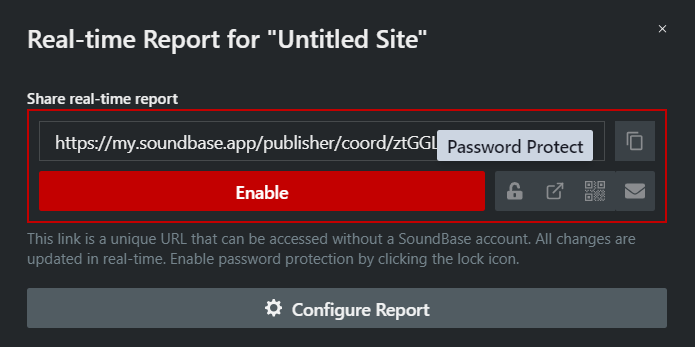
- Click Enable. The link goes live and is copied to your clipboard automatically.
- Share it from the buttons next to the link field:
- Copy Link
- Toggle Password Protection (the lock icon) — viewers must enter the password before the report loads
- open in a new tab
- View QR Code — for taping to the production-office door
- Email Report Link — opens your mail client with the link in the body
The page updates in real time as the coordination changes. Click Disable to kill the link at any time.
Configure what the report shows
Section titled “Configure what the report shows”Click Configure Report to expand the configuration:
- Contact Info and a message line shown at the top of the report — or tick Use Site Notes for report message to reuse the site notes.
- Automatically expand all zones and groups when opening the report.
- Show incompatible frequencies in report.
- Hide frequency color statuses — hide the incompatible / manually-accepted color coding.
- A per-column table controls what viewers see and what they may change:
- View — the column appears in the report.
- Edit — anyone with the link can modify that field (for example, let crews type their own channel names).
- Drag rows by the leftmost handle to reorder columns.