

Searching the community scan database
Find spectrum scans other users captured near your venue — filter by device, range, and age, preview them on the map, and copy the best one into your project.
No scan of your own yet? Someone may have measured your venue already. Scans uploaded with sharing enabled are available — anonymously — to every SoundBase user searching nearby.
Search near your site
Section titled “Search near your site”- In the zone toolbar, click Scan Data, then Search (requires an internet connection).
The search centers on your site’s location and lists nearby scans on the left, plotted on the map.
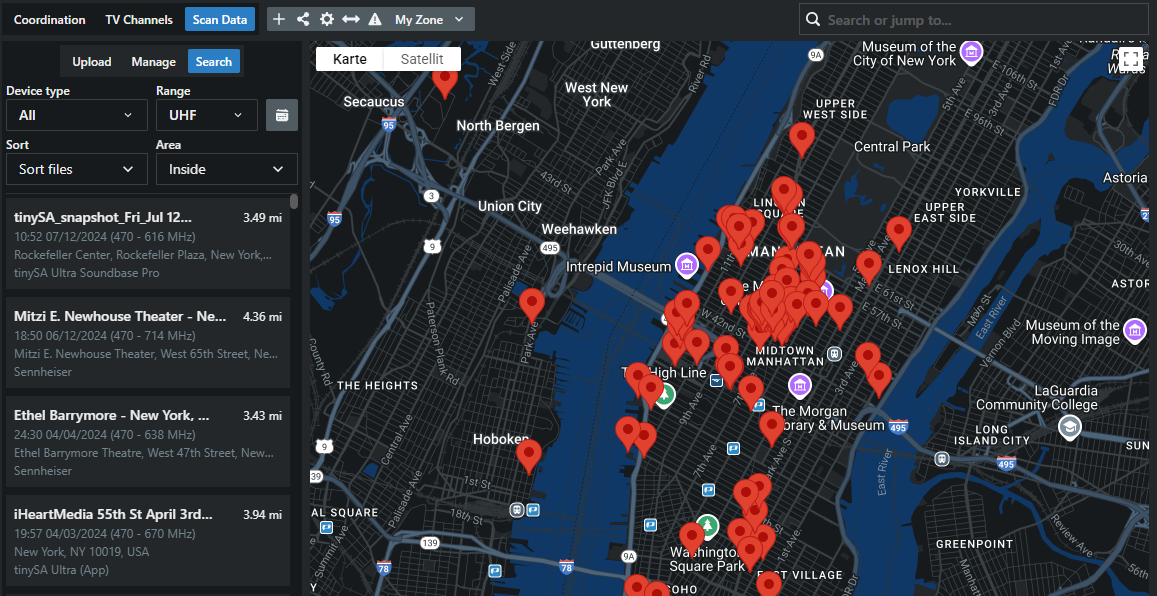
- Narrow the results with the filters — device type, frequency range, area type, and scan date — and sort by distance, date, or device.
- Click an entry to inspect it: the scan’s trace, its capture metadata (analyzer, antenna, inside/outside, transmitters on?), its quality score, and community votes.
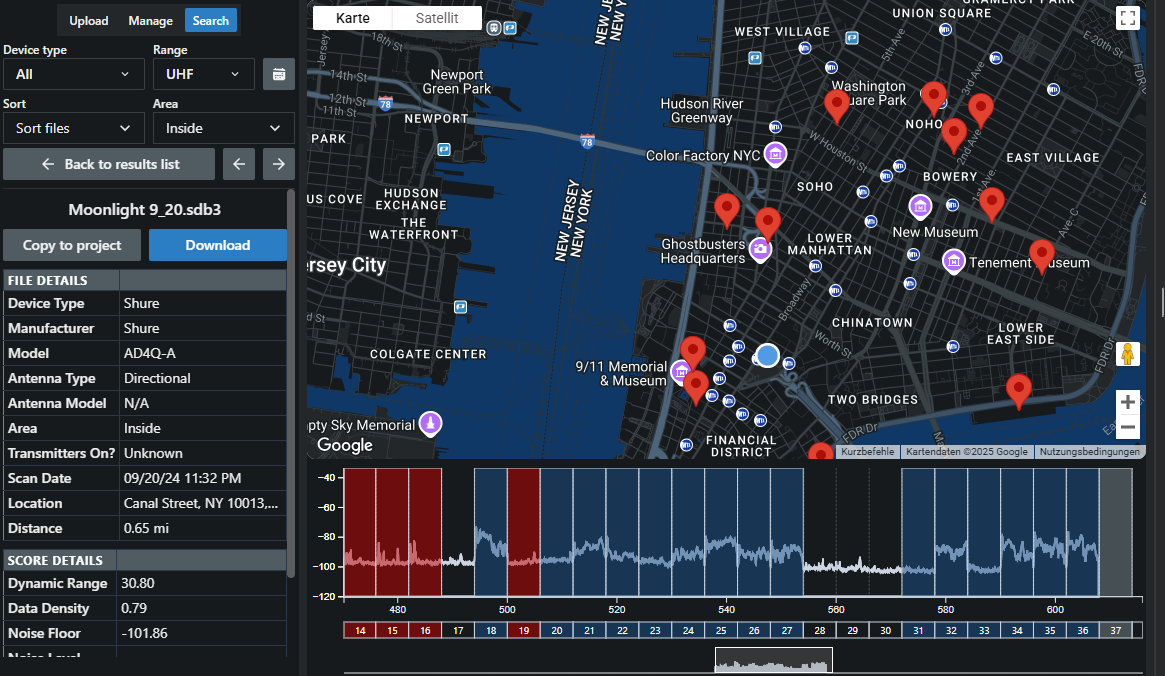
- Take what’s useful:
- Copy to Project — the scan becomes one of your project’s scan files, usable on the plot and in calculations like any uploaded scan.
- Download — save the data locally as CSV.
Judging a stranger’s scan
Section titled “Judging a stranger’s scan”- Prefer recent scans — the TV landscape changes.
- Check the capture metadata: an outdoor scan with a directional antenna may not represent your ballroom.
- Use the score (dynamic range, data density, noise floor) and the community votes — and vote yourself after using one, to help the next coordinator.