

Excluding single frequencies
Block specific frequencies in the current zone so calculations avoid them — from the exclusion list, the coordination list, or the plot.
Single-frequency exclusions are zone-scoped: each zone keeps its own list. Use them to prevent interference, comply with local rules, or keep known-bad frequencies out of future candidate results.
From the exclusion list
Section titled “From the exclusion list”- In the zone toolbar, click the Frequency Exclusions button.
The Frequency Exclusions modal opens for the current zone.
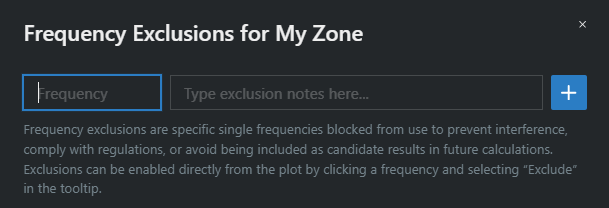
- Enter the frequency in MHz, optionally type a note, and click the + button.
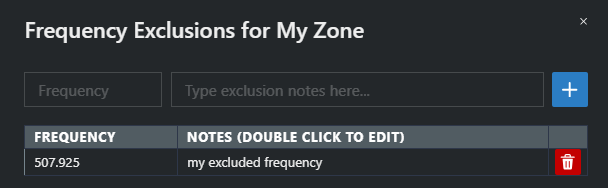
The table lists every exclusion with its Frequency and Notes columns — double-click a note to edit it. Adding a frequency that’s already excluded shows Frequency exclusion … MHz already exists.
Other ways to add one
Section titled “Other ways to add one”- From a frequency in the coordination list — open the frequency’s menu and choose Add to Frequency Exclusions.
- From a selection — select several frequencies, then use Add Selected to Frequency Exclusions in the bulk actions menu.
- From the plot — click the frequency on the spectrum plot and choose Exclude in the tooltip.
A coordinated frequency that matches an exclusion is labeled Excluded Frequency in the coordination list.
To delete exclusions, see Removing frequencies from exclusion.