

Exporting the plot view
Save the current plot as a JPEG or PNG snapshot — exactly what’s on screen, named after the site and its scans.
- Arrange the plot the way you want it captured — the snapshot takes the whole plot widget as displayed, including the control bar and any overlays you have visible.
- Click the camera button in the control bar (tooltip Capture Snapshot).
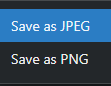
- Choose Save as JPEG or Save as PNG.
The file is named after the site (plus the displayed scan files’ names) and lands in your downloads.