

Coordination area
The center of the Coord window: the coordination list with every group and frequency, plus the TV Channels, Scan Data, and Monitor views.
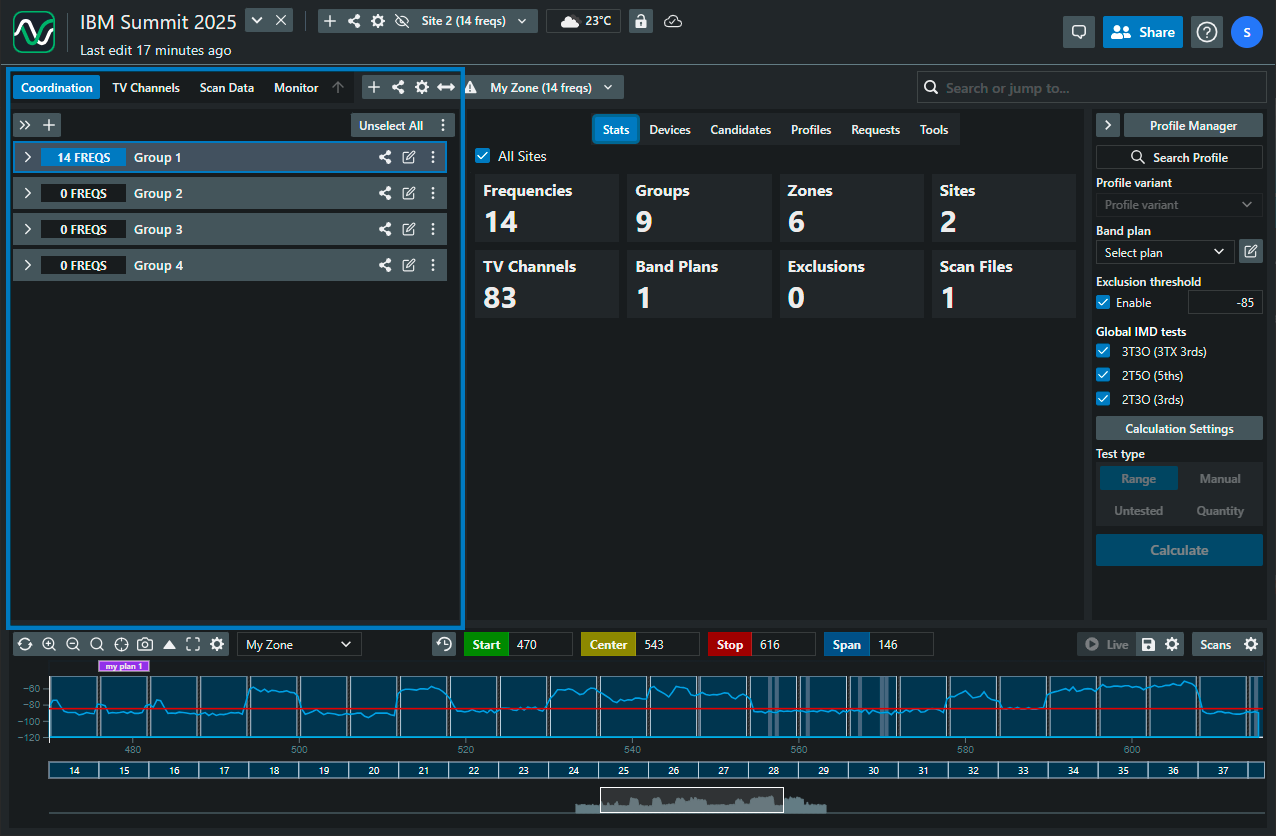
The four views
Section titled “The four views”The tabs in the zone toolbar switch what the coordination area shows:
- Coordination — the list of the selected zone’s groups and frequencies. See The coordination list.
- TV Channels — the site’s broadcast channels: search by location, activate what’s on air, and manage exclusion status per channel. See Finding TV channels.
- Scan Data — upload, manage, and search spectrum scans for the site. See Uploading and managing scan files.
- Monitor — device monitoring for the zone (SoundBase Desktop). The tab flashes red when interference is detected on a monitored frequency. See Control and monitoring and the Monitoring guide.
Guides in this section
Section titled “Guides in this section”- The coordination list — row anatomy, status colors, selection, and bulk actions
- Managing single frequencies — everything in a frequency’s menu, from Health Check to delete
- Finding TV channels and enabling/disabling them
- About scan data — what scans feed and where they live
- Uploading and managing scan files · Searching the community scan database
- Control and monitoring — pushing changes to devices and sync indicators