

Exporting zones
Export a zone as a SoundBase zone file for re-import, or as frequency lists for Shure, Sennheiser, Wisycom, and other tools.
To export a zone:
- In the zone toolbar, click Share Zone → Export Zone as….
The Export dialog opens for the current zone.
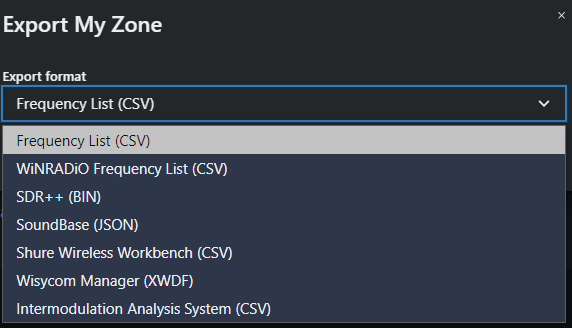
- Pick an Export format and click Export.
Export formats
Section titled “Export formats”| Format | File | Use it for |
|---|---|---|
| SoundBase (JSON) | ZoneExport_Zone_date.json |
The full zone — groups, frequencies, and devices — for importing into another site or project |
| Frequency List (CSV) | CSV | Spreadsheets and other tools |
| Shure Wireless Workbench (CSV) | Site_Zone_wwb.zip |
WWB import — the zip contains one CSV per device model. See Exporting frequencies from Coord to WWB |
| Wisycom Manager (XWDF) | Site_Zone_wisycom.xwdf |
Wisycom Manager |
| Intermodulation Analysis System (CSV) | Site_Zone_ias.zip |
IAS (SoundBase Pro) |
| WiNRADiO Frequency List (CSV) | CSV | WiNRADiO scanning software (SoundBase Pro) |
| SDR++ (BIN) | BIN | SDR++ frequency bookmarks (SoundBase Pro) |