

Selecting plot zones
Choose which zones’ frequencies the plot displays — everything, just your zone, only interacting zones, one group, or a custom mix.
The Zones button sits just right of the plot’s main control group; its label always shows the current display mode.
- Click the Zones button.
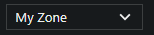
- Pick a mode (the active one carries a Selected badge):
- All zones — every frequency in the site.
- Selected Zone — only the zone you’re working in.
- Interactive Zones — your zone plus the zones it has interactions with; exactly the set that matters for compatibility. Disabled when no zones interact with yours.
- Selected Group — only the currently selected group’s frequencies.
- Or build a custom mix with the per-zone checkboxes below the divider. Ticking every zone snaps back to All zones.