

Setting the plot bandwidth by spectrum
Jump the plot to a named spectrum range — UHF, VHF, DECT, 2.4 GHz, and more — from the Frequency Range menu.
- In the plot’s control bar, click the magnifier button (tooltip Frequency Range).
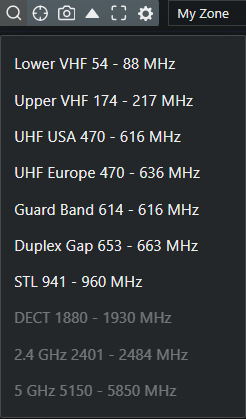
- Pick a range. The plot view jumps to it.
Available presets:
| Preset | Range (MHz) |
|---|---|
| Lower VHF | 54 – 88 |
| Upper VHF | 174 – 217 |
| UHF USA | 470 – 616 |
| UHF Europe | 470 – 636 |
| Guard Band | 614 – 616 |
| Duplex Gap | 653 – 663 |
| STL | 941 – 960 |
| DECT | 1880 – 1930 |
| 2.4 GHz | 2401 – 2484 |
| 5 GHz | 5150 – 5850 |