

Project management area
The bar across the top of an open project: the app switcher, project name and actions, collaborator presence and chat, sync status, and your account menus.
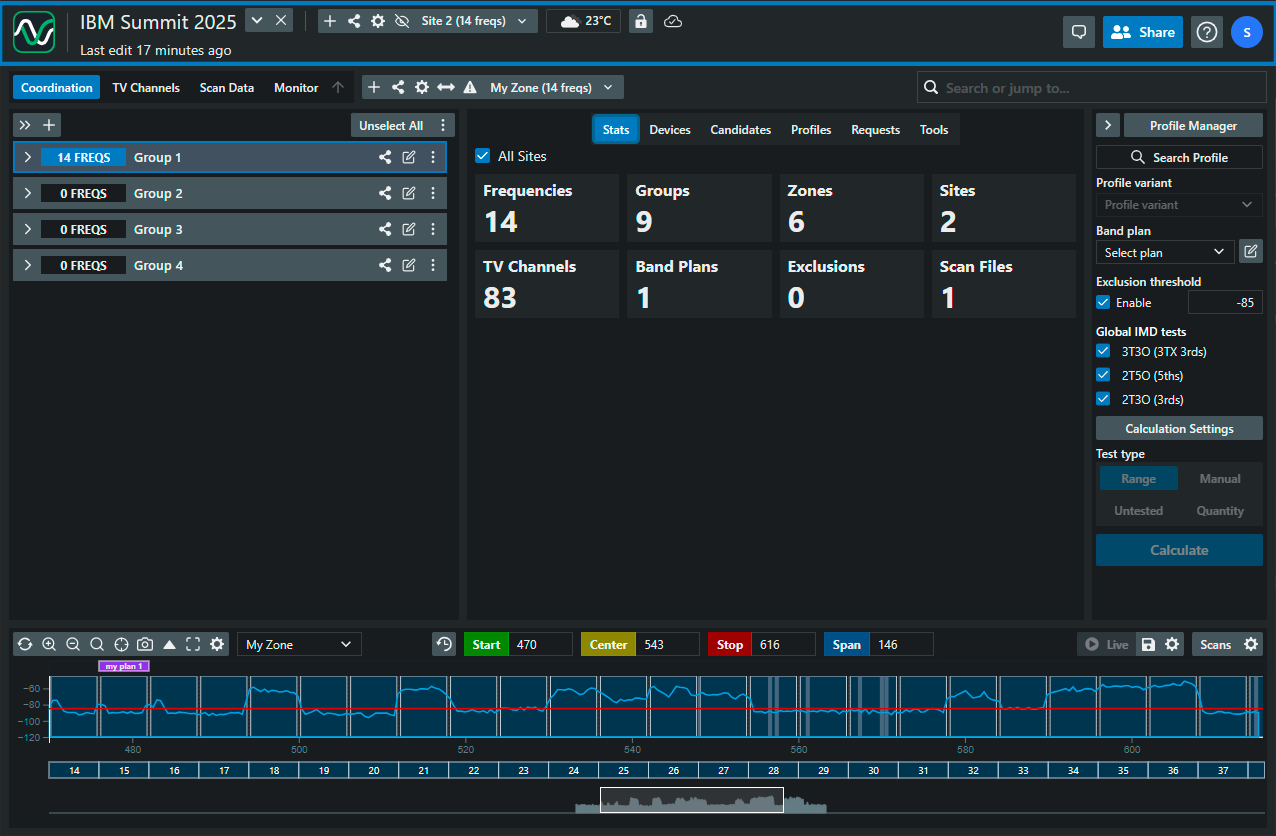
A tour, left to right
Section titled “A tour, left to right”The SoundBase logo opens an Open project in… popover for switching this project between applications — Coord, Nexus, and the others you have access to. On the projects page it simply returns you to your project list.
The project name is editable in place — click it and type (unless you have viewer access). Beneath it, a Last edit … ago line credits the most recent change; hover or click it for the project’s history. See Collaborator activity.
Project Actions (the chevron button) holds the project-level commands — details, client information, layout, export, and the frequency list. See The Project Actions menu.
Close Project (the X) leaves the project and returns you to My Projects, tidying up as it goes — see The Project Actions menu.
Application controls occupy the middle of the bar and change with the app you’re in. In Coord that’s the whole Site bar — sites, site settings, reports, the plot toggle, and the site lock.
A role badge shows your permission on the current site when you’re not the owner.
The sync icon reports whether your work has reached SoundBase Cloud. See Sync status indicators.
Collaboration controls sit toward the right:
- Chat — the project’s shared conversation, which turns into a New Messages! button when someone writes. See Project chat.
- Presence avatars — who else is in the project right now. See Collaborator activity.
- Share — invite people and set their per-site permissions. See Sharing and collaborating.
Status and account controls finish the bar: a maintenance notice when one is scheduled, an Update available button in SoundBase Desktop, an Upgrade button on free accounts, and the Help and account menus.
In this section
Section titled “In this section”- The Project Actions menu — details, client info, layout, export, and closing a project
- Project chat — the per-project conversation
- Collaborator activity — presence, badges, and project history
Related: Projects for creating, importing, and archiving projects; Your account for the user and Help menus.
Where do I create a project? On the My Projects page, not in this bar — see Creating a new project.
Can I lock the whole project so collaborators can’t edit? There’s no project-wide lock. In Coord you lock one site at a time, which is what protects a coordination in progress — see Locking a site.
A dialog says “Permissions Revoked”. Someone removed your access while you had the project open. Return to the project page; ask the owner or an admin to re-invite you if that was a mistake.
Why is the Project Actions button greyed out? You have viewer access to this project. Viewers can read everything they’re granted but can’t change project settings.