Creating a document site report
You can create and export a site report and/or save it as a template.
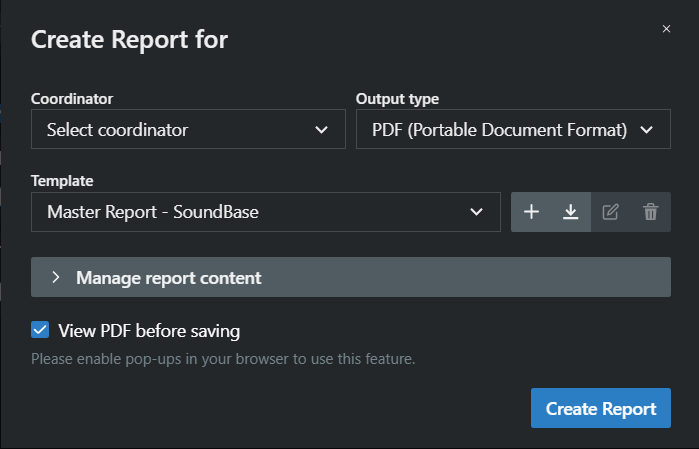
- The coordinator drop-down changes the name on the report.
- Output type lets you choose between PDF, ODT (open doc text format), and DOCX (MS Word format).
- Template lets you select between the SoundBase default templates. You can create your own template but that it currently outside the scope of this help document.
- Manage report content lets you choose what to include in the report.
- View PDF before saving will open a PDF in another browser window rather than automatically downloading to your computer. This allows you to print without cluttering your downloads folder more easily.
To create a new report:
-
In the site bar of the Project management area, click the
 button.
-
Click on Document Site Report.
A new form opens.