Calculating additively
The additive calculation method is the way the the Professional Wireless System’s IAS software works.
This method lets users select specific values for each frequency and decide which compromises to make. Though more time-consuming, it offers precise control and can identify more frequencies within a given bandwidth compared to other methods.
To begin with a additive calculation:
-
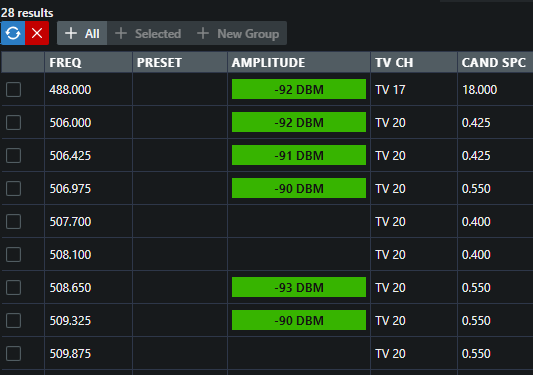
Click on Range and then on Calculate.
The calculated frequencies are displayed.