TV Channels helps you find active television and public safety stations for your coordination.
The SoundBase TV Channel Search only works with United States locations at this time.
To activate TV channels:
-
In the lower header of the Coordination area, click the button TV Channels.

-
In the search field, type in your specific location.
Your current location appears in italics below the search bar. To change it, simply search for a new location.
Be as precise as possible as any scans that you may upload will be based on the location.
- Precise: Minskoff Theatre, 200 W 45th Street, New York, NY 10036
- Not precise: New York City, NY
-
Click on Activate to search for active channels in your vicinity.
Active channels will be excluded automatically.
-
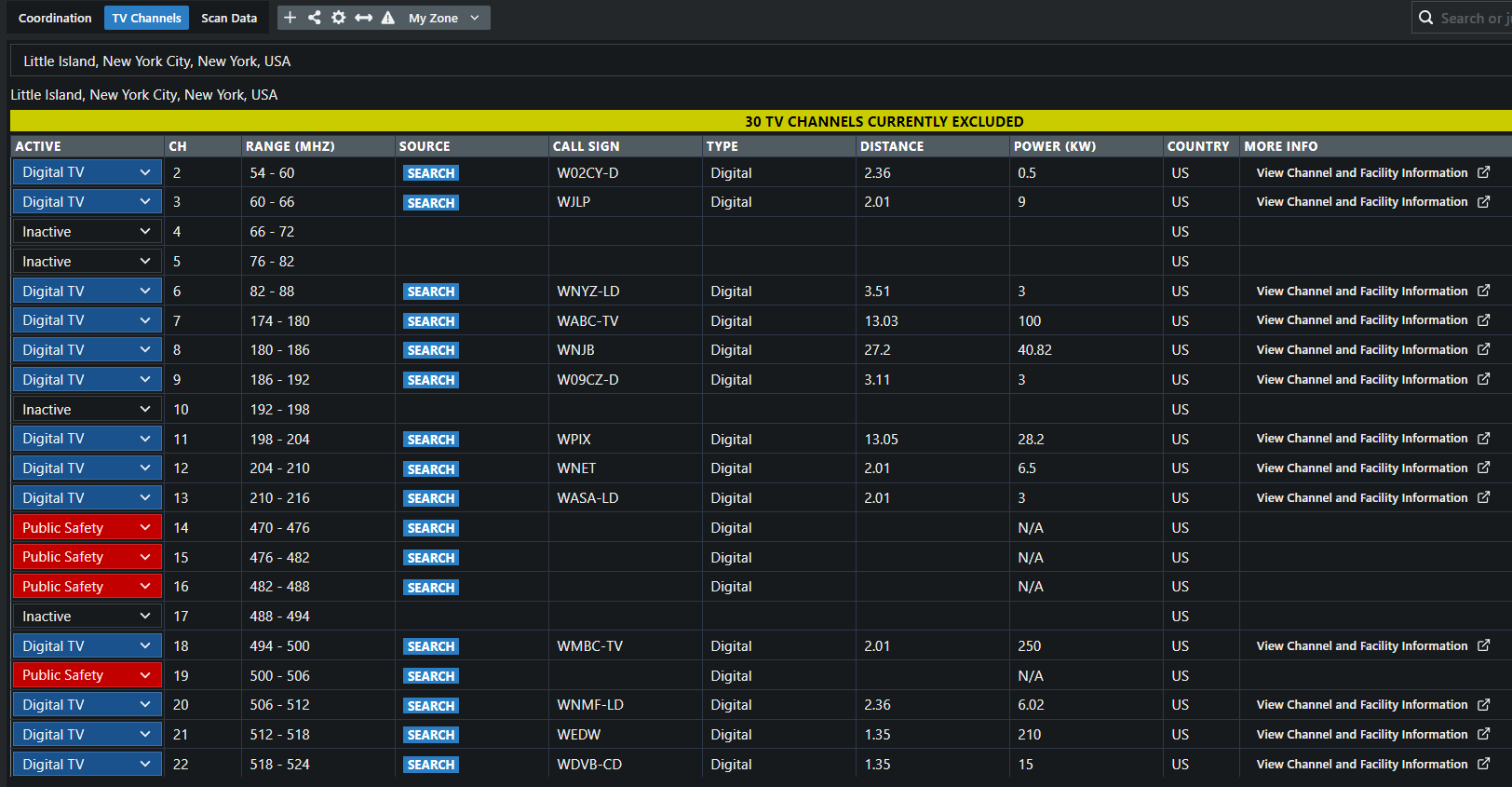
Optionally, change the status of a channel by clicking the leftmost column and selecting from:
- Digital TV
- Public Safety and
- Inactive
-
Optionally, click on View Channel and Facility Information to get more information from the the FCC page for that channel.
-
Click the TV Channel button again to return to your coordination.
TV channels have been successfully found and activated.
To deactivate the TV Channels:
-
Click on Deactivate.
TV channels have been successfully deactivated.
TV channels have been found.